Nike: Engineered for Athletes
- 4.7
- Rating
- 100.00M
- Installs
- Free
- Price
 Analysis by App-foxy
I found the Nike app most useful when I treated it as a focused shopping companion rather than as a general marketplace. It brings Nike and Jordan products into one place, with shoes and apparel arranged for people who already know what they want or are willing to browse until something catches their eye. The app is free, aimed at Everyone, and developed by Nike, Inc., so the experience feels much more direct than shopping through a broad retail platform that carries many unrelated brands.
My first impression was that the app is built around discovery. Instead of starting with a long explanation, it puts the brand’s current products and stories in front of me. That makes it easy to move from looking at a new pair of sneakers to checking matching clothing, then back to another product category. I would recommend it to someone who regularly buys Nike or Jordan items, especially if checking the official selection matters to them. I would be less enthusiastic about it for someone who simply wants the cheapest available sportswear from any brand.
What the Nike shopping experience feels like
The app’s main strength is its narrow focus. On a large marketplace, I often have to sort through sellers, unrelated labels, and inconsistent product pages. Here, the shopping journey is centered on Nike and Jordan, which reduces that noise. The trade-off is equally clear: if I want to compare several brands side by side, a retailer with a wider catalog is usually more practical.
You May Also Like

 AccuWeather: Weather Radar
AccuWeather Review: A Quick, Clear Forecast for Everyday Decisions
For everyday plans, the best forecast is the one you can understand quickly. AccuWeather makes rain timing, radar, and local conditions easy to act on, with a few trade-offs.

 Hill Climb Racing
Why Hill Climb Racing Still Turns Crashes Into One More Run
A tiny car, a bumpy hill and one more upgrade: Hill Climb Racing keeps resurfacing because its simple chaos makes every near-miss feel personal.

 AliExpress - Shopping App
AliExpress Makes Global Shopping Feel Personal, but Shoppers Bear the Risk
AliExpress turns a global marketplace into a pocket-sized discovery engine. Its reach is useful, its shopping loop compelling, and its trade-offs easy to miss.

 Lords Mobile: Kingdom Wars
Lords Mobile Is a Kingdom-Building Routine, Not a Quick Match
A case-by-case verdict on the building, battles, device demands, and social commitments that make Lords Mobile rewarding for some players and exhausting for others.

 PDF Scanner app - TapScanner
TapScanner Makes Paperwork Easier to Capture, Check, and Share
TapScanner makes scanning with a phone feel less like a rescue operation and more like a dependable step in getting work done. Its capture tools are useful, though not flawless.

 Block Blast!
 Shows How Much a Puzzle Game Can Leave Out
A quiet grid game shows why puzzle players increasingly value instant clarity, repeatable skill and low-pressure play—and where the genre still needs to catch up.
More From Our News Desk
View All News


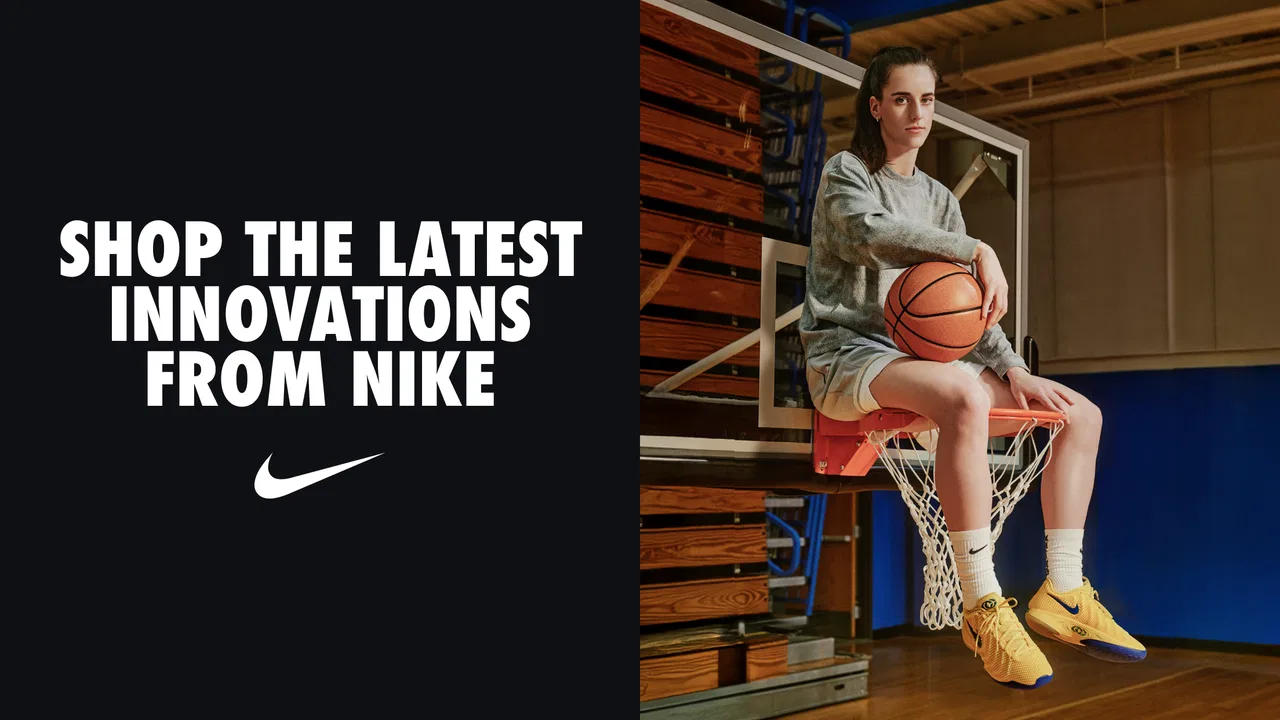
I noticed that the app works best when I arrive with a loose goal. “I need everyday running shoes,” “I want a Jordan-style outfit,” or “I am looking for a gift” gives the browsing experience some direction. Without a goal, the stream of footwear, apparel, and brand content can become easy to scroll through without making a decision. The stories add personality, but they can also pull attention away from the simple task of choosing a product.
The product presentation is designed to support consideration rather than instant checkout. I can look through a shoe’s images, inspect its available options, and then decide whether it fits what I need. For apparel, I found it helpful to think about the intended use before focusing on appearance. A stylish item is not automatically the right choice for training, commuting, or casual wear, and the app cannot make that personal judgment for me.
One useful habit is to separate inspiration from buying. I can browse stories when I want ideas, then return to product pages only after I have narrowed down the type of item. This prevents me from confusing a striking campaign image with a practical purchase. In my experience, that small change makes the app feel calmer and reduces impulse browsing.
Who will get the most from it
This is a strong fit for existing Nike fans, Jordan shoppers, athletes who prefer the brand’s own catalog, and anyone who wants a single place for shoes and clothing from the same label. It is also convenient for people who already recognize Nike product lines and mainly need a straightforward way to explore what is available.
It is not the right first choice for every shopper. If your priority is finding the lowest price across multiple brands, comparing materials from different manufacturers, or buying from a local store immediately, a broad shopping app may serve you better. I would also skip it if I expected a fully independent buying guide. The app presents Nike’s world; it is not intended to judge Nike against every alternative.
The scale of its audience is reassuring, with a 4.7 average from around one million ratings and over 50 million installs. Those figures suggest that the app has become a familiar shopping tool for a large number of people. They do not remove the need to check a product carefully, but they make the app feel established rather than experimental.
Starting without getting lost
After installing it, I would begin with one simple task instead of exploring every section. Decide whether you are shopping for footwear, apparel, Nike products generally, or Jordan products. That first choice gives your session a purpose and makes it easier to recognize when you have found something worth investigating.
For a first-time user, the most important thing is not speed. It is learning how the app separates product browsing from editorial content. Stories can be useful for discovering styles, athletes, and seasonal ideas, but a story is not the same as a product comparison. I recommend opening a product only when you can explain why it interests you: its type, its look, its intended activity, or its relationship to something you already own.
I also found it sensible to keep a short mental checklist before moving toward a purchase. Consider where the item will be used, what clothing or footwear it needs to work with, and whether the design is something you will still want outside the excitement of the first viewing. This is especially helpful with sneakers, where visual appeal can easily outweigh practical considerations.
The app is free to download, which makes trying it low-risk. The free entry point is useful because I can explore the catalog before deciding whether the shopping style suits me. The current version is 26.16.2, and it requires iOS 11 or later. That operating-system requirement is worth checking before installation, particularly if the phone is older and has not been updated recently.
Reaching a first useful result
My definition of a successful first session would not be “I spent a long time browsing.” It would be finding one product or one clear direction that answers a real need. For example, if I need a new pair of casual shoes, I can browse footwear, open a few candidates, compare their visual details, and stop once one option clearly matches my daily use. That is more valuable than filling a wish list with items I have not thought through.
A practical workflow is to start broad, narrow by the kind of item, and then inspect the product itself. I would avoid jumping between shoes, jackets, and stories until I have finished evaluating the first category. This keeps the session from becoming a carousel of attractive images. Once I have a likely choice, I can look at related apparel to see whether the purchase fits an existing wardrobe rather than creating another isolated item.
For a gift, I would use the app mainly for brand and style discovery, then slow down before committing to a specific size or design. A recipient’s taste can be more difficult to predict than the app makes it seem. A clean, familiar style may be safer than a visually dramatic release, even if the dramatic option receives more attention while browsing.
For someone preparing for exercise, I would begin with the activity rather than the color. A shoe that looks right in the catalog may not match the way the recipient trains. The app is helpful for seeing Nike’s available choices, but the responsibility for matching the product to the person remains with the shopper. That is an important distinction for first-time users who might assume the official store automatically makes every choice simple.
Where new users may hesitate
The biggest possible confusion is the difference between brand storytelling and shopping information. The editorial side can make the app feel richer than a basic store, but it may not answer the immediate question of whether a product suits a particular routine. When I want to buy efficiently, I treat stories as a source of ideas and product pages as the place for decision-making.
Another point of friction is the temptation to judge an item from its main image alone. Shoes and clothing can look very different when viewed as part of an outfit, and a product that seems versatile may be more distinctive in everyday use than expected. I recommend opening several images and considering what you already wear. This is a small, non-obvious step, but it prevents the app’s polished presentation from making the decision for me.
It is also easy to confuse brand familiarity with personal suitability. I may already trust Nike, yet still need a different style, fit, or type of product for a particular purpose. The app’s focused catalog makes browsing comfortable, but that same focus can encourage me to stop comparing too early. If function matters more than brand loyalty, I would use the app to understand Nike’s options and then compare them with alternatives elsewhere.
Another realistic limitation is that a digital catalog cannot reproduce the experience of trying on footwear or feeling fabric. For a first purchase in an unfamiliar style, I would be more cautious than with a replacement for a product I already know. If fit uncertainty is a major concern, visiting a physical retailer may be the better next step, even if the app helped identify what to try.
Using it as part of a smarter shopping routine
I would not use this app only when I am ready to buy immediately. It can also work as a planning tool. If I am rebuilding a workout wardrobe, I can first identify the type of shoes and clothing I need, then return later with a more specific list. This separates research from impulse and makes the app more useful over time.
One of my favorite practical approaches is to create a “replacement first” rule. Before looking at something new, I ask whether it replaces an item that is worn out or fills a genuine gap. This matters because a visually appealing catalog can make small differences between products feel more important than they are. Using the app with a replacement rule keeps the shopping session tied to a real need.
A second useful approach is to compare complete outfits rather than isolated products. If I am considering a pair of sneakers, I think about the trousers, shorts, or jacket I would actually wear with them. For apparel, I reverse the process and consider whether it works with shoes already in my closet. This makes Nike’s broad selection more practical and helps me avoid buying pieces that look good alone but are difficult to use.
A third is to set a stopping point before browsing. I might decide to inspect three serious candidates, one category at a time, rather than continuing indefinitely. This is especially helpful when the app’s stories and product discovery encourage extended exploration. The goal is not to see everything; it is to make a confident choice or learn enough to return later with a clearer plan.
The app can also be useful for keeping a conversation with another shopper simple. If I am helping someone choose a gift, I can use the catalog to identify the general look they prefer, then ask about size, color, and intended use separately. That avoids treating the app as a substitute for knowing the recipient. In my experience, the best shopping decisions happen when the app supplies options and the person supplies context.
How it compares with ordinary shopping alternatives
Compared with a general marketplace, the Nike app feels more coherent. The catalog is not diluted by unrelated brands, and the surrounding stories make the experience feel connected to Nike’s identity. The downside is that I lose the convenience of instant cross-brand comparison. A marketplace is better when price, material, or design needs to be evaluated across many manufacturers.
Compared with a department-store app, this one is more focused but less neutral. A department store may make it easier to combine different brands in one order or compare several sizing systems. Nike’s app is better when I have already chosen Nike or Jordan and want to explore that selection without distractions.
Compared with visiting a physical shop, the app is more convenient for browsing at home and revisiting ideas later. A store remains better for immediate tactile judgment, trying on shoes, and getting help with an unfamiliar fit. I see the two approaches as complementary rather than competing. The app can narrow the search, while a physical visit can resolve the questions a screen cannot.
Compared with a simple browser visit to a brand website, the app feels more natural for repeated mobile browsing. It is easier to pick up for a short session, look at new products, and return when I have time. Still, I would not install it solely for a single quick purchase if I already know exactly what I need and prefer using a desktop screen for checking every detail.
What I would do after the first session
Once I have found a promising item, I would pause before adding anything else. I would check whether it serves the purpose that brought me to the app, whether it works with what I already own, and whether I am reacting to a genuine need or simply to an attractive presentation. That pause is the difference between using the app as a helpful tool and letting it turn into endless browsing.
If the first session does not produce a purchase, it can still be successful. I may learn that I prefer a certain silhouette, that I need to compare brands, or that I should visit a store to resolve fit questions. The app is valuable even when it tells me to wait. Good shopping software should help me make a better decision, not pressure me into making the fastest one.
For regular Nike shoppers, the app is worth keeping because it puts the brand’s footwear, apparel, and stories in one focused place. For occasional shoppers, I would install it when I want to explore Nike or Jordan specifically, then remove it if I do not expect to return. Its free price makes that decision easy, and the Everyone rating keeps it accessible to a broad audience.
Overall, I see Nike: Shoes, Apparel & Stories as a polished, brand-specific shopping app with a clear purpose. It is at its best when I want focused discovery, official Nike and Jordan options, and a more engaging alternative to a plain product grid. Its main weakness is also its identity: because it stays inside one brand, it cannot replace a neutral comparison tool. If that limitation matches what you want, I would recommend starting with one concrete shopping goal, browsing deliberately, and using the app to turn inspiration into a considered purchase.
FAQs for Nike: Engineered for Athletes
01What features does the Nike app offer?
The Nike app provides a personalized shopping experience with access to the latest footwear, apparel, and gear. It includes exclusive member benefits, early access to new releases, and personalized recommendations. Users can also enjoy stories and inspiration from athletes, as well as fitness and training tips tailored to their interests.
02Is the Nike app free to download and use?
Yes, the Nike app is free to download on both Android and iOS platforms. While browsing and accessing most features are free, purchasing items through the app will incur costs. Additionally, joining the Nike Membership, which offers exclusive perks, is free and can enhance your overall experience.
03How do I ensure my personal information is secure on the Nike app?
Nike prioritizes user privacy and security. The app uses encryption and secure payment gateways to protect your personal and payment information. You can review their privacy policy within the app settings to understand how your data is collected and managed. Always ensure your app is updated to benefit from the latest security features.
04Can I track my orders through the Nike app?
Yes, the Nike app allows you to track your orders easily. Once you've made a purchase, you can access your order history and find detailed tracking information directly within the app. This feature helps you stay updated on the shipping status and expected delivery dates of your purchases.
05What should I do if I encounter issues with the Nike app?
If you encounter any issues with the Nike app, you can access their customer support directly through the app or visit their website for help. The support team can assist with technical problems, order inquiries, and any other concerns. Ensuring your app is updated can also resolve many common issues.
Pros
- User-friendly interface with sleek design.
- Extensive product range and easy navigation.
- Personalized recommendations enhance shopping.
- Integrated stories provide lifestyle inspiration.
- Efficient checkout and multiple payment options.
Cons
- Notifications can be overly frequent.
- Occasional app slowdowns during peak times.
- Limited availability of some exclusive products.
- Requires significant storage space on device.
- Customer support response can be delayed.

Nike: Engineered for Athletes
Gallery